

Introduction
Use these steps to correctly submit invoices for payment through Shared Services SA.
Getting started
To process your invoice, your business must first be registered with Shared Services SA. Email-submitted invoices can be tracked from five business days after lodgement.
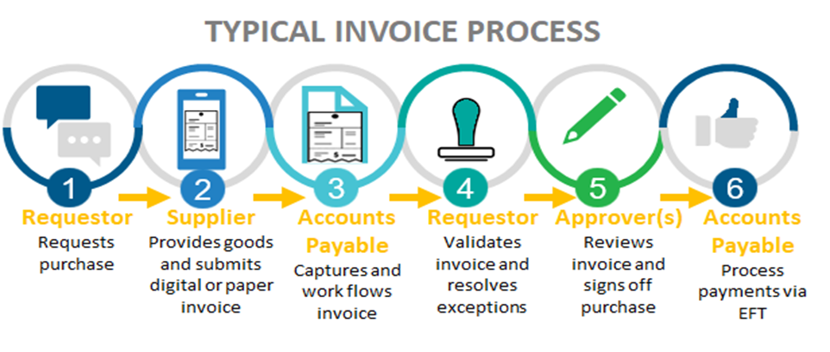
If you are unsure of the SA Government organisation, please contact the requestor of the goods or services being invoiced.
How to Submit an Invoice
Submit an electronic invoice to Shared Services SA Accounts payable through:
you can instead choose to submit these as an eInvoice.
To send an eInvoice, you will need the SA Government Agency ABNs (Excel, 17 KB)
Support
If you need assistance or have questions, please contact Accounts Payable.